
Description
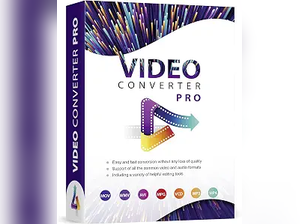
Convert, Edit, and Enhance Media with Video Converter Software
Simplify your multimedia workflow with Video Converter Software, a powerful solution designed to convert, edit, and enhance both video and audio files with ease. Whether you’re preparing videos for mobile devices, editing home movies, converting media into different formats, or working with high-resolution HD, 4K, and 3D content, this versatile software provides everything you need in one convenient application. Compatible with Windows 11, 10, 8, and 7, it delivers fast performance and broad format support for personal, educational, and professional use.
Whether you’re a content creator, student, business professional, or home user, Video Converter Software makes managing digital media simple, efficient, and accessible.
Why Choose Video Converter Software?
Video Converter Software offers a complete set of tools for handling video and audio files while maintaining excellent quality. Here’s why it’s a great choice:
- Wide Format Compatibility: Convert videos and audio files between numerous popular file formats.
- Supports HD, 4K, and 3D Videos: Handle high-quality media without compromising performance.
- Built-In Video Editing Tools: Trim, crop, rotate, and enhance videos before exporting.
- Fast and Efficient Processing: Convert large media files quickly while preserving quality.
- Easy-to-Use Interface: Suitable for beginners and experienced users alike.
Discover Powerful Features and Benefits
Video Converter Software includes a variety of features that help you manage and improve your multimedia files with ease.
Convert Videos and Audio Files
Quickly convert videos and audio into formats compatible with smartphones, tablets, gaming consoles, smart TVs, social media platforms, and other digital devices.
Support for HD, 4K, and 3D Media
Work confidently with high-definition, Ultra HD (4K), and 3D videos, ensuring excellent visual quality for both personal entertainment and professional projects.
Built-In Video Editing
Edit your videos before conversion using simple tools for trimming unwanted sections, cropping frames, rotating videos, adjusting brightness, and improving overall video quality.
Audio Conversion and Enhancement
Convert audio files into multiple formats while preserving sound quality, making it easy to create music libraries, podcasts, presentations, or compatible media files.
Batch File Processing
Save valuable time by converting multiple video and audio files simultaneously instead of processing them individually.
Optimized Output for Multiple Devices
Choose from device-specific presets that automatically optimize videos for playback on computers, smartphones, tablets, televisions, and other multimedia devices.
Customization and Accessibility
Video Converter Software provides flexible settings that allow users to customize output resolution, file format, bitrate, frame rate, and audio quality according to their specific needs. Its intuitive interface makes advanced media conversion accessible even for users with little technical experience.
Whether you’re converting videos for online sharing, preparing educational content, archiving personal media, or creating professional presentations, the software offers a smooth and reliable workflow suitable for a wide variety of multimedia projects.
Create Better Media with Confidence
Video Converter Software is more than just a file conversion tool—it’s a complete multimedia solution that helps you convert, edit, and enhance your digital content with ease. From supporting HD, 4K, and 3D videos to offering built-in editing features and broad format compatibility, it provides everything needed to manage modern media files efficiently.
Whether you’re preserving treasured memories, creating content for work, or preparing videos for entertainment, Video Converter Software delivers the flexibility, performance, and quality you need to get the best results every time.





There are no reviews yet.