Description
Manage PDF Documents Effortlessly with Scrivar PDF Pro
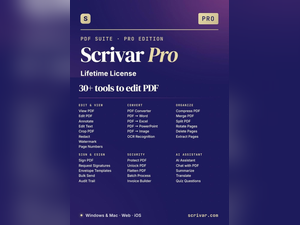
Take control of your digital documents with Scrivar PDF Pro, a comprehensive PDF management software designed to simplify every aspect of working with PDF files. Whether you’re editing documents, converting file formats, compressing large PDFs, merging multiple files, applying electronic signatures, or extracting text with OCR technology, Scrivar PDF Pro delivers all the essential tools in one powerful application. With over 30 productivity features and a lifetime license, it provides a cost-effective solution for students, professionals, businesses, and home users alike.
From preparing business reports and legal documents to managing personal files and scanned paperwork, Scrivar PDF Pro helps you complete document tasks quickly, securely, and efficiently.
Why Choose Scrivar PDF Pro?
Scrivar PDF Pro is an all-in-one PDF solution built to improve productivity and streamline document management. Here’s why it stands out:
- 30+ Powerful PDF Tools: Edit, convert, merge, split, compress, eSign, and organize PDF files with ease.
- Lifetime License: Enjoy permanent access without recurring monthly or annual subscription fees.
- Professional Document Editing: Modify text, images, pages, and layouts directly within your PDF documents.
- Advanced OCR Technology: Convert scanned documents and images into searchable and editable text.
- Simple and User-Friendly Interface: Easily access professional features without a steep learning curve.
Discover Powerful Features and Benefits
Scrivar PDF Pro includes a complete collection of tools designed to simplify document management and improve everyday productivity.
Edit PDF Documents
Modify text, images, page layouts, and formatting directly within PDF files without converting them into other formats first, saving valuable time and effort.
Convert Files with Ease
Convert PDFs to popular file formats and create PDFs from Word documents, spreadsheets, presentations, images, and other supported file types while preserving document quality.
Compress Large PDF Files
Reduce file sizes without significantly affecting document quality, making PDFs easier to store, share, email, and upload online.
Merge and Organize PDFs
Combine multiple PDF documents into a single file, rearrange pages, delete unnecessary content, or split large documents into smaller, more manageable files.
Electronic Signatures
Sign important documents digitally with built-in eSign functionality, making contracts, agreements, and approvals faster and more convenient.
OCR for Scanned Documents
Use Optical Character Recognition (OCR) technology to transform scanned documents and image-based PDFs into editable and searchable text, improving document accessibility and efficiency.
Customization and Accessibility
Scrivar PDF Pro is designed to support a wide variety of document management tasks for students, educators, office professionals, freelancers, and business users. Its intuitive interface allows users to quickly locate the tools they need while offering flexibility for handling both simple and advanced PDF editing projects.
Whether you’re preparing reports, managing business paperwork, editing academic documents, or organizing digital records, Scrivar PDF Pro provides a streamlined workflow that enhances productivity without requiring advanced technical knowledge.
Simplify Your PDF Workflow
Scrivar PDF Pro is more than just a PDF editor—it’s a complete document management solution built to handle virtually every PDF-related task. From editing and conversion to compression, OCR, electronic signatures, and file organization, it offers everything you need to work with digital documents efficiently.
Whether you’re managing personal files or professional business documents, Scrivar PDF Pro delivers powerful features, lifetime value, and the flexibility to keep your workflow organized, productive, and hassle-free.





There are no reviews yet.